



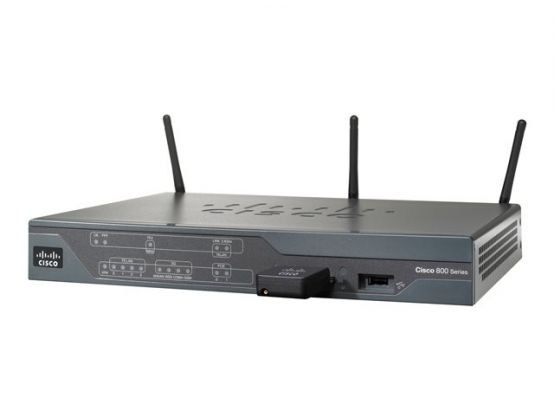
The Cisco 880 series integrated services routers combine Internet access, security and wireless services onto a single, secure device that is simple to use and manage for small businesses and enterprise small branch and teleworkers. The Cisco 880 series delivers features, including firewall, content filtering, VPNs, and WLANs, at broadband speeds to small offices. Easy deployment and centralized management features enable the Cisco 880 series to be deployed by enterprises or service providers in small branch offices or small businesses.
- Increased performance to run concurrent services
- Enhanced security
- Redundant WAN links
- AUX / CONS port
- Real time clock
- Cisco configuration professional
- Unified wireless management
Increased performance to run concurrent services
Cisco 880 Series Router performance allows customers to take advantage of broadband network speeds while running secure, concurrent data, voice, video, and wireless services.
Enhanced security
An integrated stateful and application inspection firewall provides network perimeter security. High-speed IPsec 3DES and AES encryption offers data privacy over the Internet. Intrusion prevention enforces security policy in a larger enterprise or service provider network. Content filtering offers category-based URL classification and blocking, thus providing increased productivity and better use of company resources.
Redundant WAN links
Redundant WAN links provide business continuity and WAN diversity with multiple WAN links: Fast Ethernet, G.SHDSL, 3G, and ISDN.
AUX / CONS port
A single dual-purpose port provides direct connection to a console or external modem for management or backup access points.
Real time clock
A built-in real-time clock maintains an accurate date and time for applications that require an accurate time stamp, such as logging and digital certificates.
Cisco configuration professional
Cisco configuration professional uses smart wizards and task-based tutorials, which resellers and customers can use to quickly and easily deploy, configure, and monitor a Cisco access router without requiring knowledge of the Cisco IOS Software command-line interface (CLI).
Unified wireless management
Configuration and management of access points is automated and simplified without manual intervention.