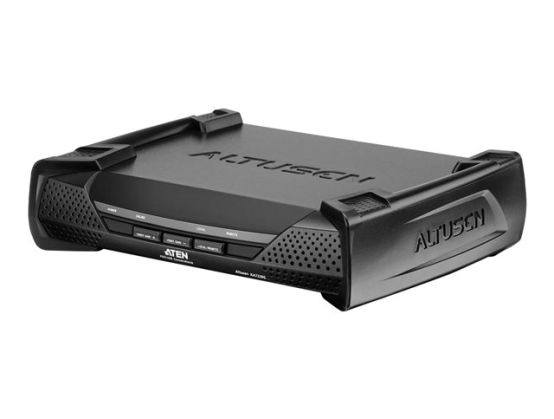
The KA7230S Console Module offers secure access to the servers. It provides an extra computer port for integration with a computer workstation, enabling users to seamlessly switch between the local computer and the servers. The KA7230S also features an intuitive graphical user interface, with easy-to-use menus and icons that enable easy access and efficient management. Administrators can establish a serial terminal login to the Console Module in order to control the KVM port access for all consoles connected to switch - any console can be assigned to access any KVM port from a single interface point. This function is extremely useful in large data centers where the display of all the consoles can be projected onto a wall for easy viewing of all operations, and the entire installation can be monitored on a port-by-port basis
Supports PS/2 and USB keyboards and mice
Switch between your workstation computer and the matrix KVM switch
Graphical OSD-intuitive, easy-to-use display to manage servers
Connects to matrix KVM switch via cable
Superior video quality
Manual video gain control for fine tuning
Convenient computer selection via intuitive hotkey combinations or graphical OSD menus
FeaturesOn-Screen Display, firmware upgradable, metal housing
Expansion / Connectivity
Interfaces1 x PS/2 keyboard ¦ 1 x PS/2 mouse ¦ 1 x VGA - HD-15 ¦ 1 x USB keyboard - Type A ¦ 1 x USB mouse - Type A ¦ 1 x RS-232 (management) - DB-9 ¦ 2 x network - RJ-45 ¦ 1 x KVM - SPHD-17