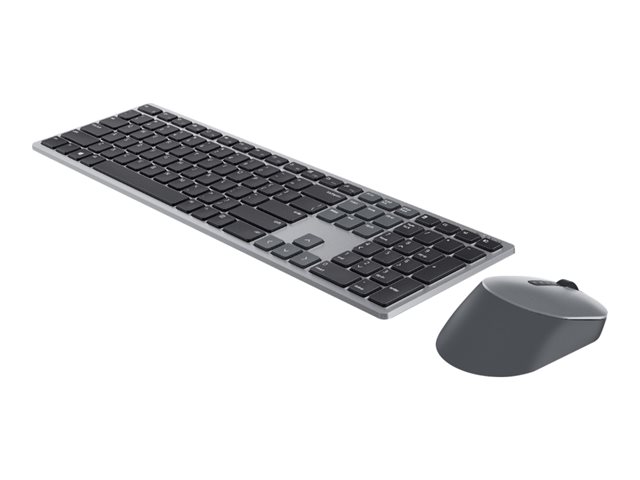




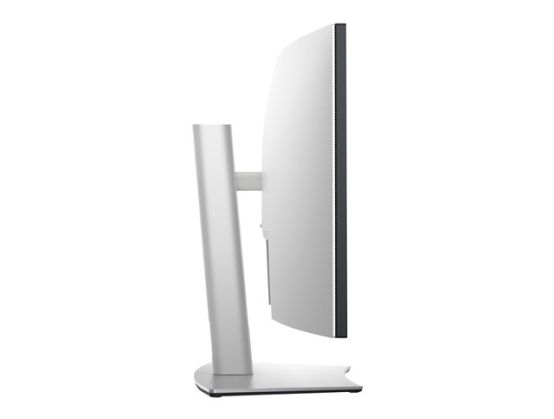
Dell UltraSharp 38 Curved USB-C Hub Monitor - U3821DW - 95.25cm (37.5).
- More screen to captivate you
- View that draws you in
- Consistent, vibrant colors
- Accurate color, out of the box
- All-encompassing sound
- Extensive connectivity
- Easy on the eyes
- Productive at every level
- Seamless transitions
- Energy conservation
More screen to captivate you
See all of your work and multitask like you've always wanted with more onscreen space on this 37.5-inch ultra-wide WQHD+ (3840 x 1600) curved screen. And with a vertical height of 1600 pixels, you can see more and scroll less.
View that draws you in
The 2300R curved screen creates a wider field of view, minimizes reflection and offers near-uniform visual focus, for a comfortable, panoramic, wrap-around view.
Consistent, vibrant colors
Expect consistent color and picture quality across a wide viewing angle, thanks to IPS technology. See true-to-life color with an incredible color depth of 1.07 billion colors and wide color coverage across industry standards, including 95% DCI-P3.
Accurate color, out of the box
Your monitor is factory-calibrated for accurate colors right from the start.
All-encompassing sound
Integrated dual 9W speakers deliver quality sound for an auditory experience that pulls you in even further.
Connect to productivity
With RJ45 and USB-C, your monitor serves as a productivity hub that delivers stable Ethernet and up to 90W of power delivery - all in a clutter-free setup.
Extensive connectivity
Easily connect to a variety of devices with a wide range of connectivity options, including DP1.4, HDMI, and USB-C: a single-cable solution that transmits data and video while delivering up to 90W of power to charge a wide range of laptops. Plus, quick-access USB-C and super speed USB ports conveniently located at the front enable fast connection to peripherals, such as storage devices and mobile phones, with a charging capability of up to 15W (via USB-C).
Multitask efficiently
Connect two PC sources to the monitor - intelligent auto KVM feature detects the second connected PC and seamlessly switches controls over. View content from both PC sources with Picture-by-Picture (PbP) and Picture-in-Picture (PiP). The KVM (keyboard, video, and mouse) feature allows you to control both PCs with a single keyboard and mouse.
Beauty meets function
Crafted with a premium platinum silver finish, this sleek monitor features a streamlined design that runs the cables through the monitor riser for a clutter-free setup. Plus, you can navigate the menu and adjust screen settings with the easy-to-use joystick control.
Comfort is key
Tilt, swivel, and adjust the height of your monitor because you should be comfortable however and wherever you work.
Easy on the eyes
Optimize eye comfort with a flicker-free screen and ComfortView, a feature that reduces harmful blue light emissions.
Productive at every level
Easy Arrange allows you to easily tile multiple applications across one or more screens with 38 pre-set window partitions and the ability to personalize up to five windows, giving you improved multitasking abilities.
Seamless transitions
The auto-restore feature remembers where you left off, so applications will go back to where you left them, even after you've unplugged.
More ways to manage
Asset management reports allow IT managers to quickly capture and track monitor information as well as configure multiple monitors at once through a single setup.
Key to convenience
Shortcut keys can save you even more time, letting you easily configure your display management settings so you can get to work faster.
Energy conservation
Save energy when your monitor is not in use with PowerNap, a feature that dims or puts your monitor to sleep when it's not in use.