




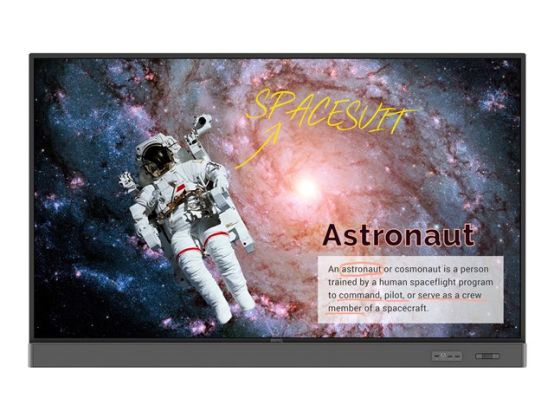
RM7502S is designed to tap into the dynamic possibilities of the classroom and help teachers build a healthy and engaging learning environment. Not only does RM7502S come with Eye-Care solution, but it is also installed with proficient cloud whiteboard for enhanced class participation and foster collaboration with students beyond locations and platforms. RM7502S is your ultimate interactive display to achieve a touch-enhanced, and connect entire class for a smooth and fun learning experience.
- Annotate and collaborate everywhere with the cloud
- Cloud whiteboard and sticky notes for classrooms
- Instant access to the cloud
- Brush mode for creative education
- Intelligent handwriting recognition
- Twice the touch resolution
- Eye-Care solution
Annotate and collaborate everywhere with the cloud
With cloud features, EZWrite 5 streamlines classroom discussions by making it smoother than ever for teachers and students to share ideas, notes, and opinions as if they are annotating on the same whiteboard regardless of where they are. Furthermore, with AMS service teachers will be able to access teaching materials stored in cloud storage and start the class directly with BenQ's IFP.
Cloud whiteboard and sticky notes for classrooms
Packed with teacher- and student-friendly features, BenQ's EZWrite 5 is the leading annotation solution for interactive and collaborative classroom scenarios. Teachers and students can enjoy enhanced interactivity by using EZWrite Cloud Whiteboard to collect, categorize, edit, and share notes between the IFP and mobile devices.
Instant access to the cloud
EZWrite 5 allows teachers to directly download and upload files to cloud services, such as Google Drive and Dropbox. Exclusive to EZWrite 5, this convenient cloud access makes it easy for teachers to modify their materials and bring them everywhere.
Brush mode for creative education
EZWrite 5 is ideal for creative, inspired creation in art classes. Users are guaranteed to enjoy an effortless experience that feels like writing and drawing with actual pens and brushes.
Intelligent handwriting recognition
EZWrite's handwriting recognition feature allows users to instantly convert written text, numbers, forms, and drawings into easily legible digital text without having to switch modes.
Twice the touch resolution
BenQ's education IFPs fine-tune handwriting experience with an advanced fine IR touch that further reduces the gap between actual landing point and the point displayed on the screen. Additionally, the series also allows teachers to create a more natural handwriting as the touch frame recognizes a smaller radius. To avoid creating cursive handwriting by accident, the series reduces the pre-touch distance to offer a better touch and writing experience.
Eye-Care solution
The Eye-Care solution can function intuitively with the help of the embedded motion sensor. For a smooth and comfortable viewing experience, BenQ IFP will automatically activate Flicker-Free and Low Blue Light features by detecting the movement of users close to the screen.