



The LG DualUp Ergo 28MQ780-B LED-backlit LCD monitor is a significant addition for professionals seeking to enhance their workspace efficiency and comfort. With its distinctive 28-inch Nano IPS display and a 16:18 aspect ratio, it offers ample vertical screen space, making it perfect for multitasking and long hours of work without the need for constant scrolling.¦Color accuracy is paramount, and the LG DualUp Ergo delivers with a 98% DCI-P3 color gamut and support for over 1.07 billion colors, ensuring that every detail is vivid and precise. This, combined with HDR10 compatibility, brings your content to life with rich, vibrant hues and contrasts.¦Ergonomics are at the forefront of the design, featuring an ergonomic stand and extensive display position adjustments, including height, pivot, swivel, and tilt, allowing you to find the perfect viewing angle and reduce strain during long work sessions. Moreover, the monitor boasts a range of connectivity options, including HDMI, DisplayPort, and USB-C, catering to various devices and workflows. With advanced features like Flicker Safe, Reader Mode, and a built-in KVM switch, the LG DualUp Ergo 28MQ780-B is not just a monitor but a comprehensive solution that adapts to your needs, enhancing both productivity and comfort in any professional setting.
- 16:18 aspect ratio
- DCI-P3 98%
- Color calibrated
- Low Blue Light
- USB Type-C
- Extend/retract, swivel, pivot, tilt and height adjustable
DualUp monitor UNBOXING and SETUP
Let's going to take a look inside of new DualUp monitor box and get to know the process of installing it, one by one.
More screen and less space
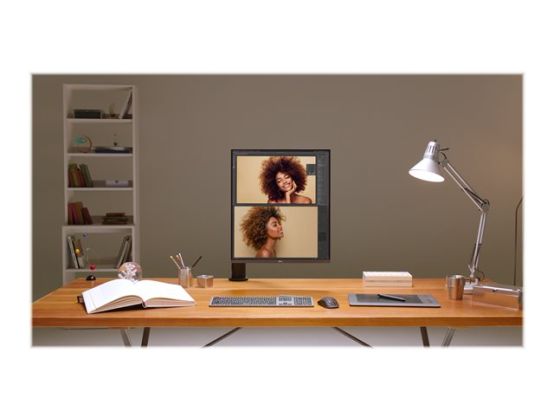
DualUp monitor only occupied compact space for one monitor but this 16:18 aspect ratio monitor support, two 21.5-inch monitors (16:9 aspect ratio), at one screen. It enhances work efficiency and productivity at the same time.
Various movement of display
Enhanced flexibility of the Ergo stand offers expanded ergonomic adjustment of extend, retract, swivel, pivot, height and tilt as well as providing perfect position of screen for more comfortable and sustainable user experience.
SDQHD Nano IPS display
The 27.6-inch SDQHD (2560 x 2880, 16:18 aspect ratio) Nano IPS display supports a wide color spectrum, 98% of DCI-P3 color gamut, and offers vibrant color reproduction with the support of HDR10.
Live Color Low Blue Light
LG's Live Color Low Blue Light with TÜV Rheinland Eyesafe Display Certification helps to protect your eyes against blue light by combining RGB hardware and software adjustments while maintaining vivid color quality.
Ambient light sensor
The sensor reacts to light, making the screen brighter in bright areas and darker in the dark. It provides a comfortable working environment.
Ideal monitor for creating, developing, and multitasking
LG DualUp Monitor, a new style display of 16:18 aspect ratio, helps to boost efficiency and productivity. You can check more information at a glace within the extended upper and lower space.
USB Type-C
USB Type-C port allows from display and data transferring to connected device charging (up to 90W), enabling support for your laptop all at the same time over a single cable.
PBP & built-in KVM
DualUp monitor allows you to control multiple contents from two computers with the picture-by-picture feature. Also, the built-in KVM feature helps to manage content with a single keyboard and mouse.
1 Source PBP
By connecting two cables, out of HDMI, DisplayPort, and USB Type-C, you can utilize a dual monitor setup with 28MQ780. It helps to control two-screen easily without using software or shortcut keys.
Easy workstation setup
Basically, for the dual monitor set-up without DualUp monitor but conventional monitors, more than 2-times are required compared to the existing space. DualUp monitor helps users to set workspace comfortably in their current space. Also, C-Clamp & Grommet and One Click Mount make it to install easily without other equipment.