



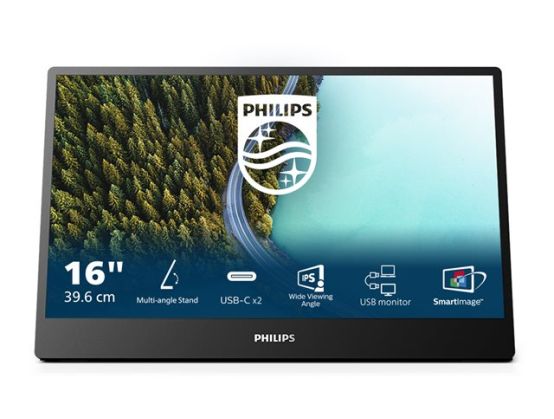
This monitor is portable, lightweight and perfectly suited for improving workflow productivity when travelling. While on the road, the Dual USB-C feature facilitates sharing and presenting material or running a multi-screen setup.
- Continuous tilt stand to fit your viewing needs
- Lightweight and foldable design for portability
- IPS LED wide view technology for image and color accuracy
- 16:9 Full HD display for crisp, detailed images
- SmartImage pre-sets for easy optimized image settings
- LowBlue mode and Flicker-Free easy-on-eyes viewing
- Dual USB-C: for ultimate connectivity
Continuous tilt stand to fit your viewing needs
Continuous tilt stand bends from 0° to 90° with the kind of flexibility to allow you to get comfortable anywhere you need to keep up with your work.
Lightweight and foldable design for portability
Enjoy a clean, portable, dual-screen workstation. The soft, smooth, pliable USB-C cable is designed to be easy to carry and fit in any bag.
IPS LED wide view technology for image and color accuracy
IPS displays use an advanced technology that gives you extra-wide viewing angles of 178/178°, making it possible to view the display from almost any angle. Unlike standard TN panels, IPS displays give you remarkably crisp images with vivid colors, making them ideal not only for photos, movies and web browsing, but also for professional applications that demand color accuracy and consistent brightness at all times.
16:9 Full HD display for crisp, detailed images
Picture quality matters. Regular displays deliver quality, but you expect more. This display features enhanced Full HD 1920 x 1080 resolution. With Full HD for crisp detail paired with high brightness, incredible contrast and realistic colors, expect a true-to-life picture.
SmartImage pre-sets for easy optimized image settings
SmartImage is an exclusive leading edge Philips technology that analyzes the content displayed on your screen and optimizes your display performance. This user-friendly interface allows you to select various modes, like Office, Photo, Movie, Game, Economy etc., to fit the application in use. Based on the selection, SmartImage dynamically optimizes the contrast, color saturation and sharpness of images and videos for ultimate display performance. The Economy mode option offers you major power savings. All in real time at the touch of a single button!
LowBlue mode and Flicker-free easy-on-the eyes viewing
LowBlue mode and Flicker-free technology have been developed to reduce eye strain and fatigue often caused by long hours in front of a monitor.
Dual USB-C: for ultimate connectivity
This feature is geared toward those who are looking for a product that facilitates productivity. This monitor showcases two ports on the side of the monitor where each USB-C cord can be plugged in and then used simultaneously for multiple purposes; such as, but not limited to: charging, presenting and as an add-on to a dual screen setup.