




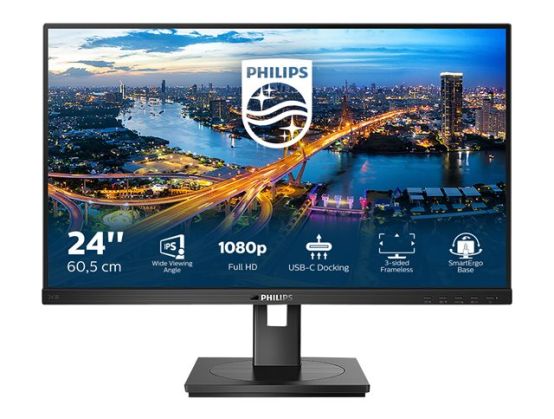
The Philips USB-C monitor replaces cable clutter. View FHD image and re-charge a laptop, all at the same time with a single USB-C cable. Features like Daisy chain for multi-display setup, Eye comfort with TUV certified to reduce eye fatigue.
- Connect your notebook with one USB-C cable
- Power and re-charge compatible notebook from the monitor
- USB 3.2 high speed data transfer
- Less eye fatigue with Flicker-free technology
- LowBlue Mode for easy on-the-eyes productivity
- HDMI ensures universal digital connectivity
- DisplayPort connection for maximum visuals
- SmartErgoBase enables people-friendly ergonomic adjustments
- Built-in stereo speakers for multimedia
- Designed to meet environmental standards
- PowerSensor saves up to 80% energy costs
- LightSensor for the perfect brightness with minimal power
DisplayPort connection
DisplayPort is a digital link from PC to monitor without any conversion. With higher capabilities than DVI standard, it is fully capable to support up to 15 metre cables and 10.8 Gbps/sec data transfer. With this high performance and zero latency, you get the fastest imaging and refresh rates- making DisplayPort the best choice for not only general office or home use, but also for the more demanding gaming and films, video editing and more. It also keeps interoperability in mind via the use of various adapters.
Built-in stereo speakers
A pair of high-quality stereo speakers built into a display device. They may be visible front firing, or invisible down firing, top firing, rear firing etc. depending on model and design.
SmartErgoBase
The SmartErgoBase is a monitor base that delivers ergonomic display comfort and provides cable management. The user-friendly height, swivel, tilt and rotation angle adjustments of the base allow the monitor to be positioned for maximum comfort to help ease the physical strains of a long workday. In addition, cable management reduces cable clutter and keeps the workspace neat and professional.
Flicker-Free technology
Due to the way brightness is controlled on LED-backlit screens, some users experience flicker on their screen which causes eye fatigue. Philips Flicker-Free technology applies a new solution to regulate brightness and reduce flicker for more comfortable viewing.
LowBlue Mode
Studies have shown that just as ultra-violet rays can cause eye damage, shortwave-length blue light rays from LED displays can cause eye damage and affect vision over time. Developed for wellbeing, the Philips LowBlue Mode setting uses a smart software technology to reduce harmful shortwave blue light.
HDMI Ready
An HDMI-ready device has all the required hardware to accept High-Definition Multimedia Interface (HDMI) input. An HDMI cable enables high-quality digital video and audio to be transmitted over a single cable from a PC or any number of AV sources (including set-top boxes, DVD players, A/V receivers and video cameras).
USB-C connection
This Philips display features a USB type-C connector with power delivery. With intelligent and flexible power management, you can power charge your compatible device directly. Its slim, reversible USB-C allows for easy, one-cable connection. You can watch high-resolution video and transfer data at super speed, while powering up and recharging your compatible device at the same time.
LightSensor
LightSensor uses a smart sensor to adjust the picture brightness depending on the light conditions in the room for the perfect picture with minimal power usage.
PowerSensor
PowerSensor is a built-in'people sensor' that transmits and receives harmless infrared signals to determine if the user is present and automatically reduces monitor brightness when the user steps away from the desk, cutting energy costs by up to 70 percent and prolonging monitor life.
TUV Rheinland Eye Comfort
Philips displays meet TUV Rheinland Eye Comfort standard to prevent eye strain caused by prolonged computer use. With TUV Eye Comfort certification, Philips displays ensure flicker-free, low-blue mode, no disturbing reflections, a wide viewing angle, less reduction of image quality from different angles and ergonomic stand designs for an ideal viewing experience. Keep your eyes healthy and boost work productivity.