



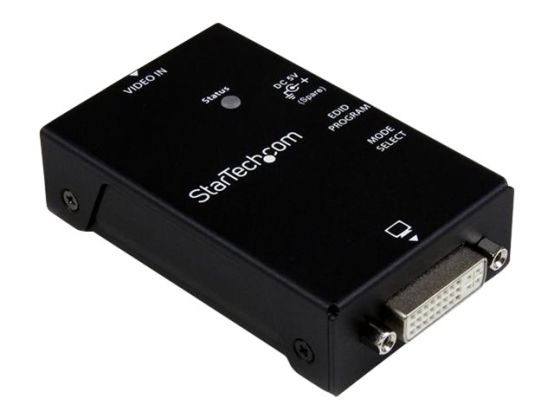
Copy or emulate Extended Display Identification (EDID) data for optimal display settings. The VSEDIDDVI DVI EDID Emulator enables you to capture and retain Extended Display Identification Data from a monitor, which can then be connected to the video signal source (Video Extender, KVM Switch, etc.) to pass the EDID information and ensure the proper video settings are maintained.¦EDID information contains important display settings such as maximum image size, color characteristics, factory pre-set timings, frequency range limits, etc., and since most video extender systems don't offer EDID communication between the source and remote display, the DVI EDID Emulator is a perfect workaround for ensuring the optimum signal is provided to the display to help prolong the life of your displays.
- EDID Copy feature saves time by making sure your display works the way you want it
- Simple rotary switch enables you to quickly emulate the EDID settings that you want
- Sturdy steel enclosure provides durability for harsh environments