



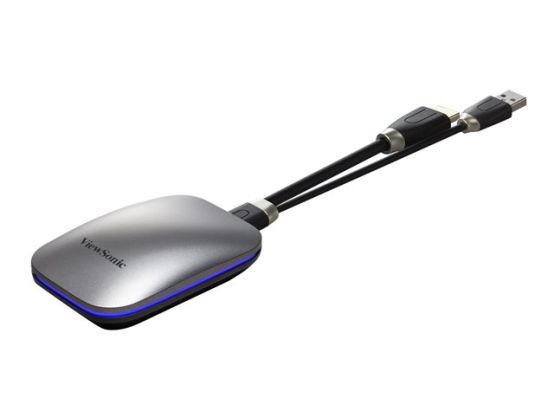
Enhance and elevate your meetings and presentations with just one tap. The ViewBoard Cast Button eliminates complicated setups, time-consuming installations, and unwanted clutter, giving you more time to create, collaborate, and connect. Connect your device and cast your content effortlessly from your preferred device to your wireless display through HDMI cable. Secured with WPA2-PSK encryption, you can present and participate with guaranteed peace of mind.
- Connect and share content with a click
- Secure and safeguard your data
- Screen sharing button with USB-C(VB-WPS-001) or HDMI (VB-WPS-003)
- Collaborate across multiple devices instantly
- Compatible with Windows, Mac and Chrome OS
Touch Back Control
The host can remotely access and control the presenter's device via the ViewBoard Touch Back Control, thus sharing control of the presenter's device. Any changes made will be mirrored to all linked displays.
Split-screen display with host control
A 4-in-1 split-screen function transforms any large format display or projection screen into an interactive meeting room terminal - allowing up to 4 presenters to securely display media from any range of devices such as tablets, laptops, and mobile phones. Host Control enables a designated user to preview, control, and moderate content being shared from connected devices, and choose the information that is shared on the projector or display.
Dual-band wireless support
This device offers a 2.4 GHz and 5 GHz dual-band wireless transmission that smoothly streams multimedia content such as videos and images, without any delays. The 2.4 GHz frequency is perfect for web browsing and presentations, while the wider bandwidth of 5 GHz is perfect for streaming high-quality videos and games.