
Choose the Best Laptop for your Small or Home Office

If you’re running a small business, or you or your employees work from a home office, a decent laptop is essential. But, there’s a huge range of laptops on the market, all with different features and functionality.
So, what’s the best laptop for home office or small office work?
Unfortunately, there’s no simple answer. Because what’s best for you and your staff depends entirely on your specific situation, and how that laptop will be used. There are some key features that you should consider. But before we get into that, you really need to ask whether a laptop is the best solution for you.
Why pick a laptop?
When you’re looking at new computers for your small or home office, laptops tend to be the default choice - and with good reason, to be fair. But before you commit, it’s worth being familiar with some of the pros and cons of laptops over desktop systems.
Upsides of laptops for your small or home office
Portability:
Perhaps the biggest and most obvious advantage of a laptop is that it’s portable. Close the lid, pop it in your bag and you’re good to go. You’re not restricted to a single work location - you and your staff can work almost anywhere.
Convenience:
That also means that laptops are convenient, and tidy. There’s no need for a tangle of wires and keyboards and mice and screens - if you want to keep it simple, the laptop is all you need. Perfect for a small office with hotdesking, or if you want to keep your home office nice and tidy.
Flexibility:
But, on the other hand, if a big screen and a proper keyboard are needed at your main workstation, you can add those too.
Downsides of laptops for your small or home office
Less powerful:
Whichever way you look at it, laptops are less powerful than desktop PCs. For most small businesses, this won’t be a problem - modern laptops have plenty of processing power - but it’s worth bearing in mind.
Run warmer:
There’s a good reason that desktops are so big - and that’s heat dissipation. If your business needs a lot of processor-intensive tasks, your laptops could get very hot. And that’s not great for their long-term health.
What are the different types of laptops?
So, you’ve decided that a laptop is right for you or your business. The next step is to work out which home or small office laptop is best for you. But there are so many different types it's difficult to know where to start. Let’s have a look at some of the most popular types, and what they’re good for.
All-round laptops:
Although there are lots of specialist laptops to choose from, most models - and the best choice for most businesses - are all-rounders. Goldilocks laptops, if you like. They have enough power, screen size and battery life for most use-cases. They might not excel at any one thing, but they’re decent at everything. If you’re not sure what your business needs, you probably need an all-round laptop.
Ultrabooks:
Ultrabooks are for when you need the biggest, most powerful laptop. They come with super-fast processors and stacks of RAM and storage space. Often, they also have big, high-resolution screens too. They’re also expensive to buy, and can be significantly bigger and heavier than other models.
Convertible laptops:
Not sure whether a laptop or a tablet is best? Convertible laptops offer the best of both worlds. Some come with a pivoting screen, or a detachable keyboard, but they offer even more flexibility than a standard laptop. They can also be more fragile, and less powerful.
Ultra-light laptops:
Ultra-light laptops are exactly how they sound - the lightest, slimmest, smallest laptops around. They’re the ultimate in portability, and they often come with high-spec components too. They also tend to have small screens and limited connectivity to save space and weight.
Chromebooks:
Chromebooks are a little different to other laptops. Instead of running all apps locally, they’re run in the cloud. That means that you must be online to work, and you’re limited to apps that will run on ChromeOS. Plus, there might be security implications for your business. On the other hand, they’re usually cheaper to buy than other devices, and tend to be very lightweight and portable.

What should I look for in a home or small office laptop?
That’s a lot of different options to choose from. And what’s most important will always depend on the work you do and what your business priorities are. And with a laptop, there’s always an element of compromise. A more powerful machine will have worse battery life, for example. And a laptop with a massive screen will inherently be less portable. Though it’s worth bearing in mind, the more you spend, the less you’ll have to compromise. So you’ll have to consider what will be the best laptop for your budget.
Let’s investigate some of the things you might want to consider.
Screen
One of the first things you’ll notice about a laptop is the screen - it’s the bit you’ll be staring at the most, after all. There are a few things to consider about the screen, too. How big it is might be the most obvious - but it’s not necessarily the most important for you.
Screen size:
It’s easy to look at a laptop with a big screen and think it’s better than one with a smaller screen. And it’s true, having lots of space to work can be a benefit. But, it brings downsides too. And the biggest of those is size. A laptop with a big screen will be big and heavy. It’ll also be less battery-efficient, so you’ll need to find a power source sooner. If your staff work on the move a lot - and that’s one of the major benefits, after all - a smaller screen might be better.
It’s also worth considering that if you or your staff will be spending a lot of time in one location - like your at a home or small office - there can always be a bigger screen set up there.
If your business involves work that needs lots of screen space - like big, complicated spreadsheets, coding or graphics and video work - and there’s no space for a second screen, then it might be worth getting a bigger laptop screen. Otherwise, a smaller one gives more flexibility.
Screen type:
As well as the screen size, the screen type (or panel) used is important, too. What’s best will depend on what your laptop will be used for.
TN screens:
TN panels are usually found on entry-level, budget laptops. They’re fine for occasional use, but they tend to have poor colour accuracy and limited viewing angles - so you need to be looking at them head on to see properly. Which could be an advantage if your staff work in public places often, as it makes it harder for people to look at the screen.
IPS screens:
Most mid-range laptops come with IPS panels. They have much wider viewing angles than TN screens, and their colour accuracy is best too. For creative work, IPS is probably the best option. IPS has lower contrast than OLED screens, however, and slower response times. Plus, they can suffer from something called IPS glow and backlight bleeding, which make blacks appear greyish.
OLED screens:
OLED panels are the latest tech, and they’re about as good as you can get nowadays. They have the strongest contrast, the deepest blacks and the fastest refresh rates. Because every pixel is lit individually, they don’t suffer from the backlight bleed that affects other panel types. They are very expensive, though, and colour accuracy might not be quite as good as with an IPS panel.
Screen resolution:
Remember though that higher resolutions can drain the battery faster, and make the laptop run slower - so there’s always a trade off there. As always, think about what you’ll be using the laptop for, and what will be the best for your business.
CPU and performance
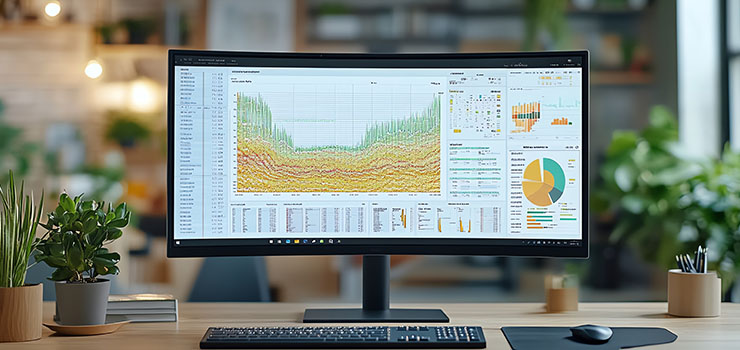
The CPU is like the brain of your laptop. More powerful CPUs can perform more calculations faster, which makes your laptop run quicker. But, actually, most modern midrange laptops will have plenty of power for most use cases. So why would you need to spend more? What’s the best compromise for your business?
Workload:
Well, firstly, you need to consider your workload. If day-to-day work is mainly word processing and spreadsheets, a lower-spec CPU should be fine. If your business does a lot of video or photograph editing, you might see the benefits of something more powerful.
CPU generation:
CPU manufacturers like Intel and AMD update their ranges every year or so, as well as having plenty of models to choose from. It can be tempting to buy an older model that’s higher in the range - but this can sometimes be a false economy. Successive generations of CPU tend to be more efficient as well as faster, so a lower current-generation model could outperform an older high-spec model.
Battery life:
If your staff work from the battery a lot, it’s worth investigating how efficient different model CPUs are. A super-powerful model might be tempting, but if it means hunting for power outlets all the time, something less power-hungry might be better.
CPU load:
Business laptops tend to come with more powerful CPUs than users really need - and there’s a good reason for that. You and your staff will use your laptops all day every day, so it’s better to have something powerful and under-stressed than something that’s performing to its full potential. CPUs run hot when they’re working hard, and that’s not great for longevity.
Longevity:
Software is always changing and updating, and that means CPUs eventually become obsolete. The more modern and capable a CPU is, the longer it will be before it - and the whole laptop - need replacing.
If your business needs to run Windows 11 you’ll need a relatively modern CPU. It simply won’t run on older models. And as support for Windows 10 is ending this year, it’s an important consideration.
Balance:
The CPU is only one part of the performance puzzle. The rest of the laptop needs to be up to the same standard if you want to see the full benefit, and if your business does graphics-heavy work like photo or video editing, the GPU could be even more important.
Never the fastest:
Even with the best CPU in the world, a laptop will never be as fast as an equivalent desktop. There’s just too much compromise with space and heat dissipation. So, if ultimate speed is important for your business, it’s worth asking yourself whether you really need the portability of a laptop, or if a desktop would be better. You could always consider a desktop to do the heavy lifting, and an ultra-light laptop or tablet for when you’re on the move.
RAM
RAM is another vital component of your laptop. If you don’t have enough, the system will run slowly regardless of how powerful your CPU might be. Just having a few tabs open in Chrome can use a lot of RAM, and Windows 11 struggles with anything less than 8 GB as a base.
Plus, it’s not always possible to add more RAM to a laptop. So it’s worth getting more than you think you need to make sure your devices are future-proofed.
If your staff will mostly be using tools like Office and browsing the web, then 8 GB is a good starting point. Heavier workloads like photo editing will need 16 GB as a minimum. And if your business will be doing really heavy work, like video editing or software development, then you should be considering at least 32 GB.
Really though, there’s no such thing as too much RAM. If you can afford to budget for more, it’ll help your laptops last longer.
GPU / graphics card
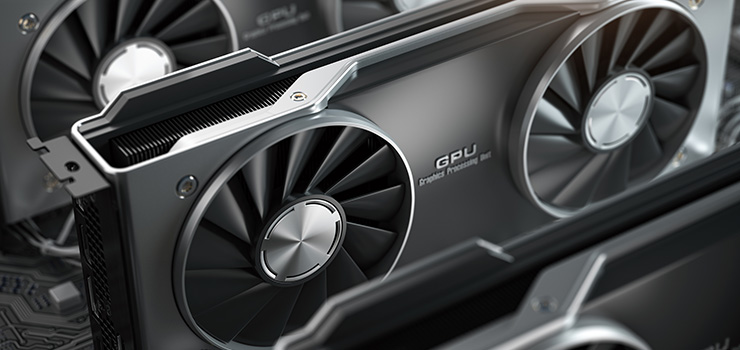
Most business-oriented laptops are fitted with on-board graphics. This means the GPU (graphics processing unit) is integrated into the CPU. It’s cheaper, more efficient, uses less battery power and means the laptop can be lighter and slimmer. And for most work, it’s plenty powerful enough.
But for anything with a high graphics workload - like editing photos or video, or CAD, or 3D modelling - a discreete GPU might be needed. This is a separate GPU designed to provide significantly more processing power.
If your business needs the added power of a discreete GPU, it’s worth researching the specific apps you need to use, and what they recommend.
It’s also worth bearing in mind that a laptop GPU will never match up to one in a desktop PC. If you really need top-level graphics processing, a desktop could be a better choice for your business.
Hard drive and storage
There are three things to consider when looking at storage space for laptops: type, speed and capacity. The former two are closely linked, so let’s have a look at them first.
Storage type and speed:
There are two main types of internal storage device: mechanical hard drives (HDDs) and solid state drives (SSDs). While mechanical drives have their uses, they’re not ideal for laptops. They’re slow, heavy, power hungry and susceptible to knocks and bumps. Any laptop with a mechanical HDD is probably very outdated, and best avoided.
Which leaves SSDs. There are two types of these - 2.5” SSDs and M.2 NVME drives. NVME drives are faster and lighter, and most laptops will come equipped with one. That said, 2.5” SSDs are still fast enough for most uses, so unless your business does a lot of data-transfer heavy work like video editing, either should be fine.
Storage capacity:
The other thing you need to consider is how much storage capacity your laptops will need. And this will depend entirely on your business, and how your staff will be using their devices.
If you’ll be storing and working with a lot of data locally - like editing video or photographs - then you’ll need as much storage space as your budget will allow.
On the other hand, if your staff will mainly be working in the cloud with smaller files like Word docs or spreadsheets, you’ll need much less storage capacity. Bear in mind though that Windows and the apps you use can take up significant space.
Internal laptop storage is sometimes possible - if tricky - to expand, so you may be able to upgrade later. But this will usually mean removing the original SSD, so you’ll need a way of backing up your data and transferring it to the new drive.
You can also use external drives to expand laptop storage space. But these are usually slower in use than internal drives, and add an extra layer of faff and more weight to carry around.
So it’s probably worth over-buying on storage when you’re buying laptops for your small office business. SSDs are cheap enough, and it could save you a lot of hassle down the line.
Battery life
As mentioned above, several factors can affect the battery life in a laptop, beyond just the capacity and quality of the battery cell itself. So if you need a super-powerful laptop with a huge OLED screen, less battery life will be a compromise you might have to accept.
But how much does that really matter to you?
If you expect your staff to be mostly working at a desk in their home office or in a small office, they’ll probably be able to plug into a power outlet without much problem. So as long as battery life is long enough for a video call or two, it might not be a major consideration.
On the other hand, if they’ll be out on site or in client meetings all day, where access to power could be awkward, then battery life could be much more important.
Check as well if the battery on a laptop is replaceable. Often they’re attached to the motherboard, which makes changing it for a fresh one tricky if not impossible.
And bear in mind that business-grade laptops usually have better quality batteries and charging circuits than cheaper, domestic models. This means they’ll have a longer battery life initially, and they’ll keep working well for more cycles. You’ll have a better chance of getting a replacement battery if you need one, too.
Connectivity
With any laptop you’ll get some degree of connectivity. But exactly what, and how much, can vary considerably.
You’ll always get a charging port. Sometimes this will be a dedicated port; sometimes it will be a multi-function USB-C port. This is great for saving space and keeping the laptop nice and slim, but it’s not so hot if you need to charge your laptop and have peripherals - like a mouse and keyboard - plugged in.
You’ll usually get wifi and Bluetooth built in too, which can be handy if you have wireless devices you can use. And some will have more physical connectors, like card readers, more USB ports, display adapters and network ports.
So, it’s worth assessing how laptops are going to be used in your business, and what connectivity you’ll need.
If employees will be constantly on the go, just working from their laptops with no need for extra devices, then you don’t need lots of different ports.
On the other hand, if staff will be splitting time between home office and your own workspace, and will need access to things like extra screens, external storage, mice and keyboards, you’ll need to be able to connect to those. You can easily expand connectivity with a USB-C dock, but those can be big and unwieldy - and the more portable ones won’t charge a laptop, so you’ll need a separate charger too.
There’s no correct answer here. You just need to understand the needs of your business and your staff, and make sure the laptops you choose can meet them.
Operating system
When it comes to choosing an operating system for your small or home office, there are two main options - Windows or macOS. And really, there’s no wrong choice. They’re both well developed, secure operating systems, so if you prefer one over the other, you may as well stick with it.
That said, some apps will only run on one or the other, so if your business needs a specific piece of software it’s worth checking before investing in new laptops. But most major apps will run on either OS, and many apps run in the cloud now anyway.
If you want a PC laptop for your home office, you’ll be looking at Windows. The best Apple laptops all run macOS.
You’ll also need to consider what version of Windows or macOS to run. Older versions won’t be supported, and won’t be as secure as newer releases. But you’ll need modern hardware to get the most out of newer operating systems.
If you’re on a really tight budget, you could look at other operating systems like ChromeOS and Linux.
ChromeOS is exclusive to Chromebooks. It relies on having an internet connection to work, with everything taking place in the cloud. If your business is already invested in the Google ecosystem then it might work for you, but it can be restrictive.
Linux is a free, open source OS. It’s less user-friendly than other operating systems, and assumes you have more knowledge. A lot of commercial apps won’t run on Linux. It’s also more customisable than commercial operating systems, and versions are available that will run on lower-spec machines.
Conclusion
Like we said at the start of this article, there’s no one ‘best’ laptop for your home or small office. It all depends on your specific requirements.
But, there are a few key things to consider.
It’s definitely worth spending as much as you can to get something that’s going to last. Good quality build, battery and components will make laptops much nicer to use, and serve you well for years to come.
We stock a wide range of laptops for all use cases ready to go. And if you’re struggling to manage your IT then we offer managed IT solutions, to take some of the stress away from you.
-
 Converge launches The Collection 2026-27 Technology Guides
-
 How Converge is helping neurodivergent people access IT
-
 How Converge helped RJAH improve staff collaboration with modern Meeting Room Technology
-
 Converge releases The Collection 2026-27 Education Brochures
-
 How reporting is key to cutting carbon emissions